
boxElement
An inline-level container that sizes content.
All elements except inline math, text, and boxes are block-level and cannot occur inside of a paragraph. The box function can be used to integrate such elements into a paragraph. Boxes take the size of their contents by default but can also be sized explicitly.
Example
Refer to the docs
#box(
height: 9pt,
image("docs.svg")
)
for more information.

Parameters
widthDefault: auto
The width of the box.
Boxes can have fractional widths, as the example below demonstrates.
Note: Currently, only boxes and only their widths might be fractionally sized within paragraphs. Support for fractionally sized images, shapes, and more might be added in the future.
 View example
Line in #box(width: 1fr, line(length: 100%)) between.

heightDefault: auto
The height of the box.
baselineDefault: (at: auto, shift: 0% + 0pt)
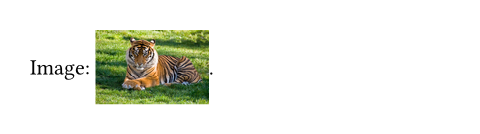
The vertical position of the box’s baseline. This is used to align the box with the text surrounding it in a paragraph, as the baseline is meant to go right below text by default.
By default, the box’s baseline will match the baseline of its contents (for example, of the text or equation inside it) - this is the auto option. However, the baseline can be adjusted in two ways. The first one is to simply pick a vertical alignment, such as top, horizon or bottom, to place the baseline at that position, relative to the total height of the box (including inset).
The other way to adjust it is to shift the default baseline vertically by some amount, specified as a relative length. For example, a value of 2pt will move it up by that exact length (causing the contents to go down, as the alignment point moves up), whereas -40% will shift the baseline down by 40% of the box’s total height, including inset (thus causing the contents to move up).
Both options can be specified at the same time through a dictionary with the keys at and shift, respectively. For example, when specifying (at: bottom, shift: 10pt), the box’s baseline will be set to the height exactly 10pt above the bottom of its contents.
View example
Image: #box(baseline: 40%, image("tiger.jpg", width: 2cm)).
fillDefault: none
The box’s background color. See the rectangle’s documentation for more details.
strokeDefault: (:)
The box’s border color. See the rectangle’s documentation for more details.
radiusDefault: (:)
How much to round the box’s corners. See the rectangle’s documentation for more details.
insetDefault: (:)
How much to pad the box’s content.
This can be a single length for all sides or a dictionary of lengths for individual sides. When passing a dictionary, it can contain the following keys in order of precedence: top, right, bottom, left (controlling the respective cell sides), x, y (controlling vertical and horizontal insets), and rest (covers all insets not styled by other dictionary entries). All keys are optional; omitted keys will use their previously set value, or the default value if never set.
Relative lengths for this parameter are relative to the box size excluding outset. Note that relative insets and outsets are different from relative widths and heights, which are relative to the container.
Note: When the box contains text, its exact size depends on the current text edges.
View example
#rect(inset: 0pt)[Tight]

outsetDefault: (:)
How much to expand the box’s size without affecting the layout.
This can be a single length for all sides or a dictionary of lengths for individual sides. Relative lengths for this parameter are relative to the box size excluding outset. See the documentation for inset above for further details.
This is useful to prevent padding from affecting line layout. For a generalized version of the example below, see the documentation for the raw text’s block parameter.
View example
An inline
#box(
fill: luma(235),
inset: (x: 3pt, y: 0pt),
outset: (y: 3pt),
radius: 2pt,
)[rectangle].

clipDefault: false
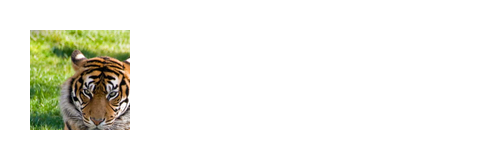
Whether to clip the content inside the box.
Clipping is useful when the box’s content is larger than the box itself, as any content that exceeds the box’s bounds will be hidden.
View example
#box(
width: 50pt,
height: 50pt,
clip: true,
image("tiger.jpg", width: 100pt, height: 100pt)
)
bodyDefault: none
The contents of the box.