
imageElement
A raster or vector graphic.
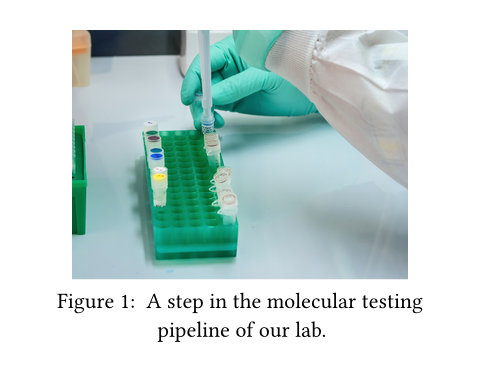
You can wrap the image in a figure to give it a number and caption.
Like most elements, images are block-level by default and thus do not integrate themselves into adjacent paragraphs. To force an image to become inline, put it into a box.
Example
#figure(
image("molecular.jpg", width: 80%),
caption: [
A step in the molecular testing
pipeline of our lab.
],
)
Parameters
source
A path to an image file or raw bytes making up an image in one of the supported formats.
Bytes can be used to specify raw pixel data in a row-major, left-to-right, top-to-bottom format.
 View example
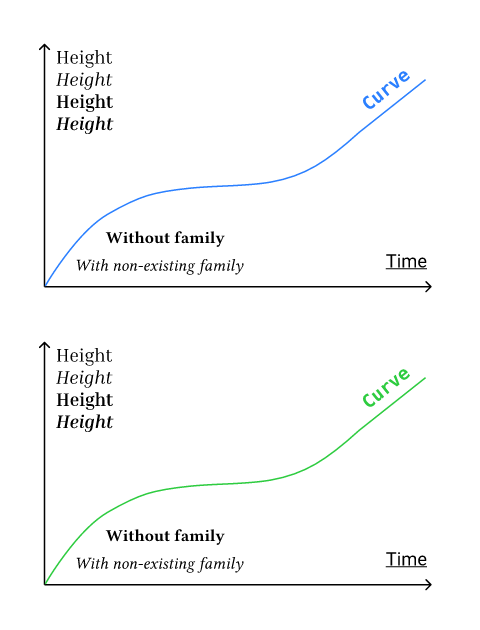
#let original = read("diagram.svg")
#let changed = original.replace(
"#2B80FF", // blue
green.to-hex(),
)
#image(bytes(original))
#image(bytes(changed))
formatDefault: auto
The image’s format.
By default, the format is detected automatically. Typically, you thus only need to specify this when providing raw bytes as the source (even then, Typst will try to figure out the format automatically, but that’s not always possible).
Supported formats are "png", "jpg", "gif", "svg", "pdf", "webp" as well as raw pixel data.
Note that several restrictions apply when using PDF files as images:
- When exporting to PDF, any PDF image file used must have a version equal to or lower than the export target PDF version.
- PDF files as images are currently not supported when exporting with a specific PDF standard, like PDF/A-3 or PDF/UA-1. In these cases, you can instead use SVGs to embed vector images.
- The image file must not be password-protected.
- Tags in your PDF image will not be preserved. Instead, you must provide an alternative description to make the image accessible.
When providing raw pixel data as the source, you must specify a dictionary with the following keys as the format:
encoding(str): The encoding of the pixel data. One of:"rgb8"(three 8-bit channels: red, green, blue)"rgba8"(four 8-bit channels: red, green, blue, alpha)"luma8"(one 8-bit channel)"lumaa8"(two 8-bit channels: luma and alpha)
width(int): The pixel width of the image.height(int): The pixel height of the image.
The pixel width multiplied by the height multiplied by the channel count for the specified encoding must then match the source data.
View example
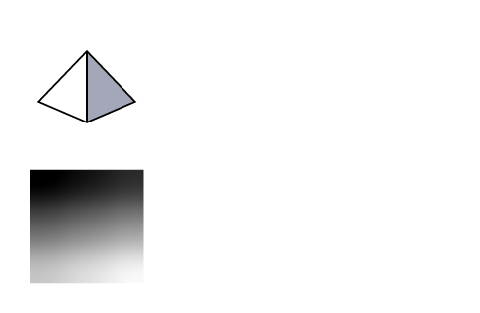
#image(
read(
"tetrahedron.svg",
encoding: none,
),
format: "svg",
width: 2cm,
)
#image(
bytes(range(16).map(x => x * 16)),
format: (
encoding: "luma8",
width: 4,
height: 4,
),
width: 2cm,
)
| Variant | Details |
|---|---|
"png" | Raster format for illustrations and transparent graphics. |
"jpg" | Lossy raster format suitable for photos. |
"gif" | Raster format that is typically used for short animated clips. Typst can load GIFs, but they will become static. |
"webp" | Raster format that supports both lossy and lossless compression. |
"svg" | The vector graphics format of the web. |
"pdf" | High-fidelity document and graphics format, with focus on exact reproduction in print. |
widthDefault: auto
The width of the image.
heightDefault: auto
The height of the image.
altDefault: none
An alternative description of the image.
This text is used by Assistive Technology (AT) like screen readers to describe the image to users with visual impairments.
When the image is wrapped in a figure, use this parameter rather than the figure’s alt parameter to describe the image. The only exception to this rule is when the image and the other contents in the figure form a single semantic unit. In this case, use the figure’s alt parameter to describe the entire composition and do not use this parameter.
You can learn how to write good alternative descriptions in the Accessibility Guide.
pageDefault: 1
The page number that should be embedded as an image. This attribute only has an effect for PDF files.
fitDefault: "cover"
How the image should adjust itself to a given area (the area is defined by the width and height fields). Note that fit doesn’t visually change anything if the area’s aspect ratio is the same as the image’s one.
View example
#set page(width: 300pt, height: 50pt, margin: 10pt)
#image("tiger.jpg", width: 100%, fit: "cover")
#image("tiger.jpg", width: 100%, fit: "contain")
#image("tiger.jpg", width: 100%, fit: "stretch")



| Variant | Details |
|---|---|
"cover" | The image should completely cover the area (preserves aspect ratio by cropping the image only horizontally or vertically). This is the default. |
"contain" | The image should be fully contained in the area (preserves aspect ratio; doesn’t crop the image; one dimension can be narrower than specified). |
"stretch" | The image should be stretched so that it exactly fills the area, even if this means that the image will be distorted (doesn’t preserve aspect ratio and doesn’t crop the image). |
scalingDefault: auto
A hint to viewers how they should scale the image.
When set to auto, the default is left up to the viewer. For PNG export, Typst will default to smooth scaling, like most PDF and SVG viewers.
Note: The exact look may differ across PDF viewers.
| Variant | Details |
|---|---|
"smooth" | Scale with a smoothing algorithm such as bilinear interpolation. |
"pixelated" | Scale with nearest neighbor or a similar algorithm to preserve the pixelated look of the image. |
iccDefault: auto
An ICC profile for the image.
ICC profiles define how to interpret the colors in an image. When set to auto, Typst will try to extract an ICC profile from the image.