
enumElement
A numbered list.
Displays a sequence of items vertically and numbers them consecutively.
Example
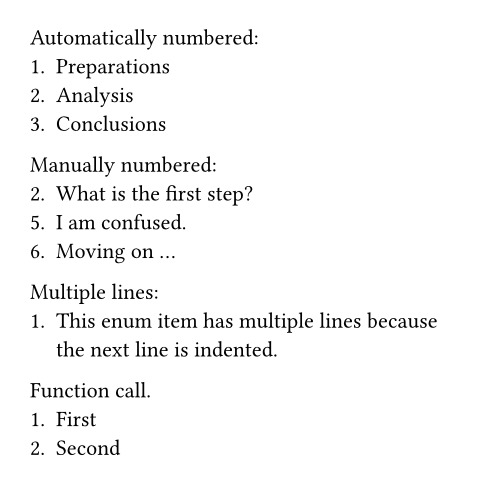
Automatically numbered:
+ Preparations
+ Analysis
+ Conclusions
Manually numbered:
2. What is the first step?
5. I am confused.
+ Moving on ...
Multiple lines:
+ This enum item has multiple
lines because the next line
is indented.
Function call.
#enum[First][Second]
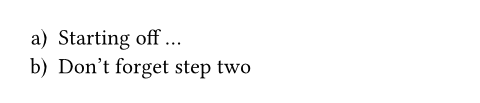
You can easily switch all your enumerations to a different numbering style with a set rule.
#set enum(numbering: "a)")
+ Starting off ...
+ Don't forget step two
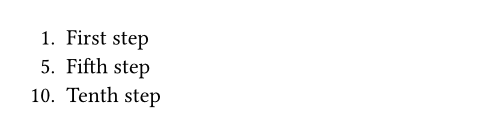
You can also use enum.item to programmatically customize the number of each item in the enumeration:
#enum(
enum.item(1)[First step],
enum.item(5)[Fifth step],
enum.item(10)[Tenth step]
)
Syntax
This functions also has dedicated syntax:
- Starting a line with a plus sign creates an automatically numbered enumeration item.
- Starting a line with a number followed by a dot creates an explicitly numbered enumeration item.
Enumeration items can contain multiple paragraphs and other block-level content. All content that is indented more than an item’s marker becomes part of that item.
Parameters
tightDefault: true
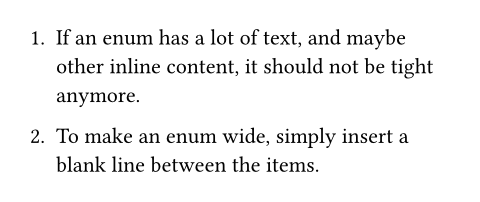
Defines the default spacing of the enumeration. If it is false, the items are spaced apart with paragraph spacing. If it is true, they use paragraph leading instead. This makes the list more compact, which can look better if the items are short.
In markup mode, the value of this parameter is determined based on whether items are separated with a blank line. If items directly follow each other, this is set to true; if items are separated by a blank line, this is set to false. The markup-defined tightness cannot be overridden with set rules.
 View example
+ If an enum has a lot of text, and
maybe other inline content, it
should not be tight anymore.
+ To make an enum wide, simply
insert a blank line between the
items.
numberingDefault: "1."
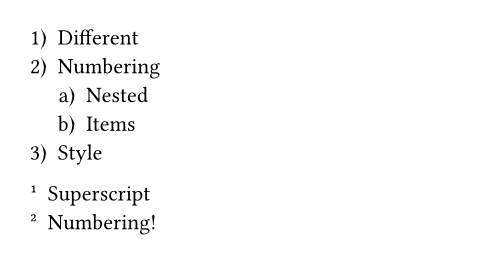
How to number the enumeration. Accepts a numbering pattern or function.
If the numbering pattern contains multiple counting symbols, they apply to nested enums. If given a function, the function receives one argument if full is false and multiple arguments if full is true.
View example
#set enum(numbering: "1.a)")
+ Different
+ Numbering
+ Nested
+ Items
+ Style
#set enum(numbering: n => super[#n])
+ Superscript
+ Numbering!
startDefault: auto
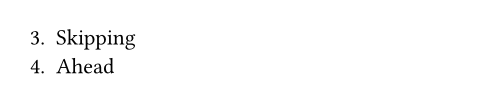
Which number to start the enumeration with.
View example
#enum(
start: 3,
[Skipping],
[Ahead],
)
fullDefault: false
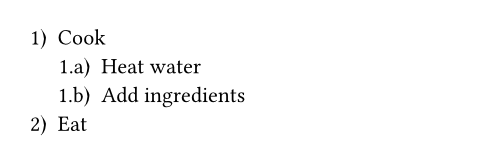
Whether to display the full numbering, including the numbers of all parent enumerations.
View example
#set enum(numbering: "1.a)", full: true)
+ Cook
+ Heat water
+ Add ingredients
+ Eat
reversedDefault: false
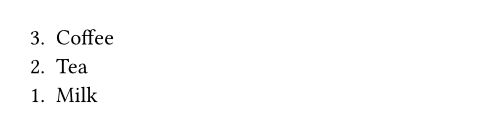
Whether to reverse the numbering for this enumeration.
View example
#set enum(reversed: true)
+ Coffee
+ Tea
+ Milk
indentDefault: 0pt
The indentation of each item.
body-indentDefault: 0.5em
The space between the numbering and the body of each item.
spacingDefault: auto
The spacing between the items of the enumeration.
If set to auto, uses paragraph leading for tight enumerations and paragraph spacing for wide (non-tight) enumerations.
number-alignDefault: end
The alignment that enum numbers should have.
By default, this is set to end, which aligns enum numbers horizontally towards the end of the current text direction (in a left-to-right script, for example, this is the same as right). In addition, the lack of a vertical alignment places each number vertically just above the baseline of the item, as if it were part of its first line of text.
The choice of end for horizontal alignment of enum numbers is usually preferred over start, as numbers then grow away from the text instead of towards it. This option lets you override this behaviour, however.
As for vertical alignment, it can be overridden if baseline alignment is not desired. For example, an alignment of end + top would always place the marker vertically near the top of the item, whereas end + would move it near the bottom.
bottom
Also to note is that the unordered list possesses a similar option named marker-align instead, which also controls both axes of marker alignment in the exact same way as enum numbers.
View example
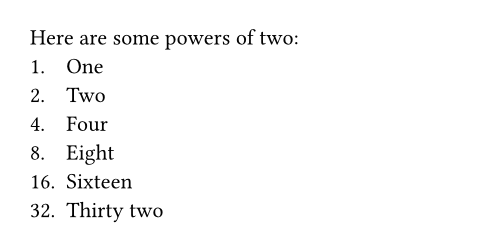
#set enum(number-align: start + bottom)
Here are some powers of two:
1. One
2. Two
4. Four
8. Eight
16. Sixteen
32. Thirty two
children
The numbered list’s items.
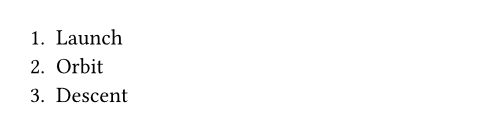
When using the enum syntax, adjacent items are automatically collected into enumerations, even through constructs like for loops.
View example
#for phase in (
"Launch",
"Orbit",
"Descent",
) [+ #phase]
Definitions
itemElement
An enumeration item.
numberDefault: auto
The item’s number.
body
The item’s body.