
pageElement
Layouts its child onto one or multiple pages.
Although this function is primarily used in set rules to affect page properties, it can also be used to explicitly render its argument onto a set of pages of its own.
Pages can be set to use auto as their width or height. In this case, the pages will grow to fit their content on the respective axis.
The Guide for Page Setup explains how to use this and related functions to set up a document with many examples.
Example
#set page("us-letter")
There you go, US friends!

Accessibility
The contents of the page’s header, footer, foreground, and background are invisible to Assistive Technology (AT) like screen readers. Only the body of the page is read by AT. Do not include vital information not included elsewhere in the document in these areas.
Styling
Note that the page element cannot be targeted by show rules; writing show page: .. has no effect. To repeat content on every page, you can instead configure the header, footer, background, and foreground properties with a set rule.
Parameters
paperDefault: "a4"
A standard paper size to set width and height.
This is just a shorthand for setting width and height and, as such, cannot be retrieved in a context expression.
 View options
| Variant | Details |
|---|---|
"a0" | A paper that is 841.0 × 1189.0 millimeters in size. |
"a1" | A paper that is 594.0 × 841.0 millimeters in size. |
"a2" | A paper that is 420.0 × 594.0 millimeters in size. |
"a3" | A paper that is 297.0 × 420.0 millimeters in size. |
"a4" | A paper that is 210.0 × 297.0 millimeters in size. |
"a5" | A paper that is 148.0 × 210.0 millimeters in size. |
"a6" | A paper that is 105.0 × 148.0 millimeters in size. |
"a7" | A paper that is 74.0 × 105.0 millimeters in size. |
"a8" | A paper that is 52.0 × 74.0 millimeters in size. |
"a9" | A paper that is 37.0 × 52.0 millimeters in size. |
"a10" | A paper that is 26.0 × 37.0 millimeters in size. |
"a11" | A paper that is 18.0 × 26.0 millimeters in size. |
"iso-b1" | A paper that is 707.0 × 1000.0 millimeters in size. |
"iso-b2" | A paper that is 500.0 × 707.0 millimeters in size. |
"iso-b3" | A paper that is 353.0 × 500.0 millimeters in size. |
"iso-b4" | A paper that is 250.0 × 353.0 millimeters in size. |
"iso-b5" | A paper that is 176.0 × 250.0 millimeters in size. |
"iso-b6" | A paper that is 125.0 × 176.0 millimeters in size. |
"iso-b7" | A paper that is 88.0 × 125.0 millimeters in size. |
"iso-b8" | A paper that is 62.0 × 88.0 millimeters in size. |
"iso-c3" | A paper that is 324.0 × 458.0 millimeters in size. |
"iso-c4" | A paper that is 229.0 × 324.0 millimeters in size. |
"iso-c5" | A paper that is 162.0 × 229.0 millimeters in size. |
"iso-c6" | A paper that is 114.0 × 162.0 millimeters in size. |
"iso-c7" | A paper that is 81.0 × 114.0 millimeters in size. |
"iso-c8" | A paper that is 57.0 × 81.0 millimeters in size. |
"din-d3" | A paper that is 272.0 × 385.0 millimeters in size. |
"din-d4" | A paper that is 192.0 × 272.0 millimeters in size. |
"din-d5" | A paper that is 136.0 × 192.0 millimeters in size. |
"din-d6" | A paper that is 96.0 × 136.0 millimeters in size. |
"din-d7" | A paper that is 68.0 × 96.0 millimeters in size. |
"din-d8" | A paper that is 48.0 × 68.0 millimeters in size. |
"sis-g5" | A paper that is 169.0 × 239.0 millimeters in size. |
"sis-e5" | A paper that is 115.0 × 220.0 millimeters in size. |
"ansi-a" | A paper that is 216.0 × 279.0 millimeters in size. |
"ansi-b" | A paper that is 279.0 × 432.0 millimeters in size. |
"ansi-c" | A paper that is 432.0 × 559.0 millimeters in size. |
"ansi-d" | A paper that is 559.0 × 864.0 millimeters in size. |
"ansi-e" | A paper that is 864.0 × 1118.0 millimeters in size. |
"arch-a" | A paper that is 229.0 × 305.0 millimeters in size. |
"arch-b" | A paper that is 305.0 × 457.0 millimeters in size. |
"arch-c" | A paper that is 457.0 × 610.0 millimeters in size. |
"arch-d" | A paper that is 610.0 × 914.0 millimeters in size. |
"arch-e1" | A paper that is 762.0 × 1067.0 millimeters in size. |
"arch-e" | A paper that is 914.0 × 1219.0 millimeters in size. |
"jis-b0" | A paper that is 1030.0 × 1456.0 millimeters in size. |
"jis-b1" | A paper that is 728.0 × 1030.0 millimeters in size. |
"jis-b2" | A paper that is 515.0 × 728.0 millimeters in size. |
"jis-b3" | A paper that is 364.0 × 515.0 millimeters in size. |
"jis-b4" | A paper that is 257.0 × 364.0 millimeters in size. |
"jis-b5" | A paper that is 182.0 × 257.0 millimeters in size. |
"jis-b6" | A paper that is 128.0 × 182.0 millimeters in size. |
"jis-b7" | A paper that is 91.0 × 128.0 millimeters in size. |
"jis-b8" | A paper that is 64.0 × 91.0 millimeters in size. |
"jis-b9" | A paper that is 45.0 × 64.0 millimeters in size. |
"jis-b10" | A paper that is 32.0 × 45.0 millimeters in size. |
"jis-b11" | A paper that is 22.0 × 32.0 millimeters in size. |
"sac-d0" | A paper that is 764.0 × 1064.0 millimeters in size. |
"sac-d1" | A paper that is 532.0 × 760.0 millimeters in size. |
"sac-d2" | A paper that is 380.0 × 528.0 millimeters in size. |
"sac-d3" | A paper that is 264.0 × 376.0 millimeters in size. |
"sac-d4" | A paper that is 188.0 × 260.0 millimeters in size. |
"sac-d5" | A paper that is 130.0 × 184.0 millimeters in size. |
"sac-d6" | A paper that is 92.0 × 126.0 millimeters in size. |
"iso-id-1" | A paper that is 85.6 × 53.98 millimeters in size. |
"iso-id-2" | A paper that is 74.0 × 105.0 millimeters in size. |
"iso-id-3" | A paper that is 88.0 × 125.0 millimeters in size. |
"asia-f4" | A paper that is 210.0 × 330.0 millimeters in size. |
"jp-shiroku-ban-4" | A paper that is 264.0 × 379.0 millimeters in size. |
"jp-shiroku-ban-5" | A paper that is 189.0 × 262.0 millimeters in size. |
"jp-shiroku-ban-6" | A paper that is 127.0 × 188.0 millimeters in size. |
"jp-kiku-4" | A paper that is 227.0 × 306.0 millimeters in size. |
"jp-kiku-5" | A paper that is 151.0 × 227.0 millimeters in size. |
"jp-business-card" | A paper that is 91.0 × 55.0 millimeters in size. |
"cn-business-card" | A paper that is 90.0 × 54.0 millimeters in size. |
"eu-business-card" | A paper that is 85.0 × 55.0 millimeters in size. |
"fr-tellière" | A paper that is 340.0 × 440.0 millimeters in size. |
"fr-couronne-écriture" | A paper that is 360.0 × 460.0 millimeters in size. |
"fr-couronne-édition" | A paper that is 370.0 × 470.0 millimeters in size. |
"fr-raisin" | A paper that is 500.0 × 650.0 millimeters in size. |
"fr-carré" | A paper that is 450.0 × 560.0 millimeters in size. |
"fr-jésus" | A paper that is 560.0 × 760.0 millimeters in size. |
"uk-brief" | A paper that is 406.4 × 342.9 millimeters in size. |
"uk-draft" | A paper that is 254.0 × 406.4 millimeters in size. |
"uk-foolscap" | A paper that is 203.2 × 330.2 millimeters in size. |
"uk-quarto" | A paper that is 203.2 × 254.0 millimeters in size. |
"uk-crown" | A paper that is 508.0 × 381.0 millimeters in size. |
"uk-book-a" | A paper that is 111.0 × 178.0 millimeters in size. |
"uk-book-b" | A paper that is 129.0 × 198.0 millimeters in size. |
"us-letter" | A paper that is 215.9 × 279.4 millimeters in size. |
"us-legal" | A paper that is 215.9 × 355.6 millimeters in size. |
"us-tabloid" | A paper that is 279.4 × 431.8 millimeters in size. |
"us-executive" | A paper that is 184.15 × 266.7 millimeters in size. |
"us-foolscap-folio" | A paper that is 215.9 × 342.9 millimeters in size. |
"us-statement" | A paper that is 139.7 × 215.9 millimeters in size. |
"us-ledger" | A paper that is 431.8 × 279.4 millimeters in size. |
"us-oficio" | A paper that is 215.9 × 340.36 millimeters in size. |
"us-gov-letter" | A paper that is 203.2 × 266.7 millimeters in size. |
"us-gov-legal" | A paper that is 215.9 × 330.2 millimeters in size. |
"us-business-card" | A paper that is 88.9 × 50.8 millimeters in size. |
"us-digest" | A paper that is 139.7 × 215.9 millimeters in size. |
"us-trade" | A paper that is 152.4 × 228.6 millimeters in size. |
"newspaper-compact" | A paper that is 280.0 × 430.0 millimeters in size. |
"newspaper-berliner" | A paper that is 315.0 × 470.0 millimeters in size. |
"newspaper-broadsheet" | A paper that is 381.0 × 578.0 millimeters in size. |
"presentation-16-9" | A paper that is 297.0 × 167.0625 millimeters in size. |
"presentation-4-3" | A paper that is 280.0 × 210.0 millimeters in size. |
widthDefault: 595.28pt
The width of the final page, after any trims have been applied.
In professional printing setups, this may be smaller than the sheet size fed into the printer.
See the bleed parameter for details on how to set a trim or bleed area.
View example
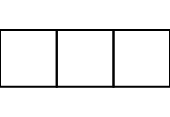
#set page(
width: 3cm,
margin: (x: 0cm),
)
#for i in range(3) {
box(square(width: 1cm))
}
heightDefault: 841.89pt
The height of the final page area, after any trims have been applied.
If this is set to auto, page breaks can only be triggered manually by inserting a page break or by adding another non-empty page set rule. Most examples throughout this documentation use auto for the height of the page to dynamically grow and shrink to fit their content.
flippedDefault: false
Whether the page is flipped into landscape orientation.
View example
#set page(
"us-business-card",
flipped: true,
fill: rgb("f2e5dd"),
)
#set align(bottom + end)
#text(14pt)[*Sam H. Richards*] \
_Procurement Manager_
#set text(10pt)
23 W 23rd Street \
New York, NY 10010 \
+1 (212) 555-0155

marginDefault: auto
The page’s margins.
auto: The margins are set automatically to 2.5/21 times the smaller dimension of the page. This results in 2.5 cm margins for an A4 page.- A single length: The same margin on all sides.
A dictionary: With a dictionary, the margins can be set individually. The dictionary can contain the following keys in order of precedence:
top: The top margin.right: The right margin.bottom: The bottom margin.left: The left margin.inside: The margin at the inner side of the page (where the binding is).outside: The margin at the outer side of the page (opposite to the binding).x: The horizontal margins.y: The vertical margins.rest: The margins on all sides except those for which the dictionary explicitly sets a size.
All keys are optional; omitted keys will use their previously set value, or the default margin if never set. In addition, the values for left and right are mutually exclusive with the values for inside and outside. The values should be relative lengths or auto.
View example
#set page(
width: 3cm,
height: 4cm,
margin: (x: 8pt, y: 4pt),
)
#rect(
width: 100%,
height: 100%,
fill: aqua,
)

bleedDefault: (:)
The page’s bleed margin.
The bleed is the area of content that extends beyond the final trimmed size of the page. It ensures that no unprinted edges appear in the final product, even if minor trimming misalignments occur.
Accepted values:
- A single length: The same bleed on all sides.
A dictionary: With a dictionary, the bleed margins can be set individually. The dictionary may include the following keys, listed in order of precedence:
top: The top bleed margin.right: The right bleed margin.bottom: The bottom bleed margin.left: The left bleed margin.inside: The bleed margin at the inner side of the page (where the binding is).outside: The bleed margin at the outer side of the page (opposite to the binding).x: The horizontal bleed margins.y: The vertical bleed margins.rest: The bleed margins on all sides except those for which the dictionary explicitly sets a size.
All keys are optional; omitted keys will use their previously set value, or 0pt if never set. In addition, the values for left and right are mutually exclusive with the values for inside and outside. The values should be relative lengths.
In PDF export, if the bleed is non-zero, a TrimBox is defined for the page.
View example
#set page(
width: 8cm,
height: 5cm,
margin: 1cm,
// The bleed is not visible in the preview;
// it exceeds beyond the page.
bleed: 0.5cm,
// Fills the entire bleed area, so there will
// be no white strips after printing and trimming.
background: rect(width: 100%, height: 100%, fill: aqua),
)
#rect(width: 100%, height: 100%, fill: white)

bindingDefault: auto
On which side the pages will be bound.
auto: Equivalent toleftif the text direction is left-to-right andrightif it is right-to-left.left: Bound on the left side.right: Bound on the right side.
This affects the meaning of the inside and outside options for margins.
columnsDefault: 1
How many columns the page has.
If you need to insert columns into a page or other container, you can also use the columns function.
#set page(columns: 2, height: 4.8cm)
Climate change is one of the most
pressing issues of our time, with
the potential to devastate
communities, ecosystems, and
economies around the world. It's
clear that we need to take urgent
action to reduce our carbon
emissions and mitigate the impacts
of a rapidly changing climate.

fillDefault: auto
The page’s background fill.
Setting this to something non-transparent instructs the printer to color the complete page. If you are considering larger production runs, it may be more environmentally friendly and cost-effective to source pre-dyed pages and not set this property.
When set to none, the background becomes transparent. Note that PDF pages will still appear with a (usually white) background in viewers, but they are actually transparent. (If you print them, no color is used for the background.)
The default of auto results in none for PDF output, and white for PNG and SVG.
View example
#set page(fill: rgb("444352"))
#set text(fill: rgb("fdfdfd"))
*Dark mode enabled.*

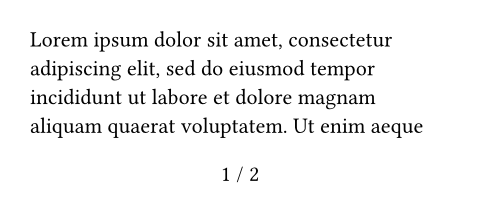
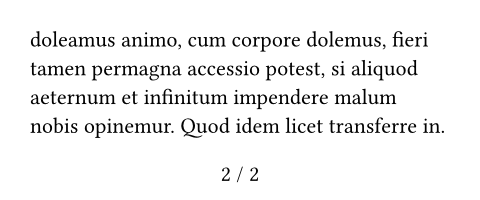
numberingDefault: none
How to number the pages. You can refer to the Page Setup Guide for customizing page numbers.
Accepts a numbering pattern or function taking one or two numbers:
- The first number is the current page number.
- The second number is the total number of pages. In a numbering pattern, the second number can be omitted. If a function is passed, it will receive one argument in the context of links or references, and two arguments when producing the visible page numbers.
These are logical numbers controlled by the page counter, and may thus not match the physical numbers. Specifically, they are the current and the final value of counter(page). See the counter documentation for more details.
If an explicit footer (or header for top-aligned numbering) is given, the numbering is ignored.
View example
#set page(
height: 100pt,
margin: (top: 16pt, bottom: 24pt),
numbering: "1 / 1",
)
#lorem(48)
supplementDefault: auto
A supplement for the pages.
For page references, this is added before the page number.
View example
#set page(numbering: "1.", supplement: [p.])
= Introduction <intro>
We are on #ref(<intro>, form: "page")!

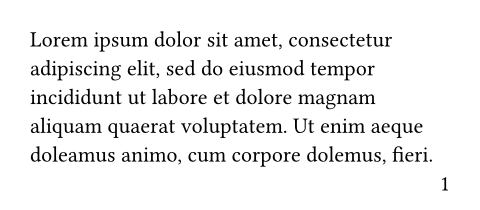
number-alignDefault: center + bottom
The alignment of the page numbering.
If the vertical component is top, the numbering is placed into the header and if it is bottom, it is placed in the footer. Horizon alignment is forbidden. If an explicit matching header or footer is given, the numbering is ignored.
View example
#set page(
margin: (top: 16pt, bottom: 24pt),
numbering: "1",
number-align: right,
)
#lorem(30)
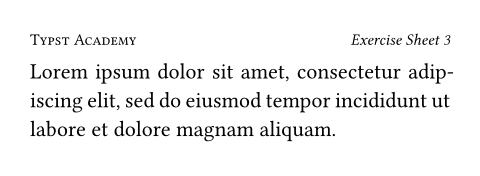
headerDefault: auto
The page’s header. Fills the top margin of each page.
- Content: Shows the content as the header.
auto: Shows the page number if anumberingis set andnumber-alignistop.none: Suppresses the header.
View example
#set par(justify: true)
#set page(
margin: (top: 32pt, bottom: 20pt),
header: [
#set text(8pt)
#smallcaps[Typst Academy]
#h(1fr) _Exercise Sheet 3_
],
)
#lorem(19)
header-ascentDefault: 30% + 0pt
The amount the header is raised into the top margin. Ratios are relative to the height of the top margin.
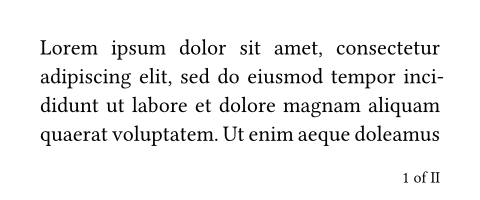
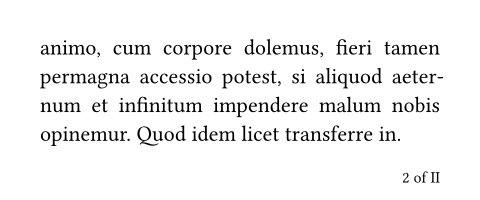
footerDefault: auto
The page’s footer. Fills the bottom margin of each page.
- Content: Shows the content as the footer.
auto: Shows the page number if anumberingis set andnumber-alignisbottom.none: Suppresses the footer.
For just a page number, the numbering property typically suffices. If you want to create a custom footer but still display the page number, you can directly access the page counter.
View example
#set par(justify: true)
#set page(
height: 100pt,
margin: 20pt,
footer: context [
#set align(right)
#set text(8pt)
#counter(page).display(
"1 of I",
both: true,
)
]
)
#lorem(48)
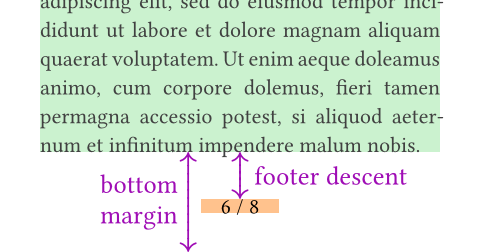
footer-descentDefault: 30% + 0pt
The amount the footer is lowered into the bottom margin. Ratios are relative to the height of the bottom margin.
backgroundDefault: none
Content in the page’s background.
This content will be placed behind the page’s body. It can be used to place a background image or a watermark.
For convenience, relative lengths are resolved against the page size including the page bleed when used in background content. For example, on a page that is 100mm wide with a 5mm bleed, a width of 100% is computed as 5mm + 100mm + 5mm.
View example
#set page(background: rotate(24deg,
text(18pt, fill: rgb("FFCBC4"))[
*CONFIDENTIAL*
]
))
= Typst's secret plans
In the year 2023, we plan to take
over the world (of typesetting).

foregroundDefault: none
Content in the page’s foreground.
This content will overlay the page’s body.
Relative lengths are resolved against the page size including bleed, following the same behavior as background.
View example
#set page(foreground: text(24pt)[🤓])
Reviewer 2 has marked our paper
"Weak Reject" because they did
not understand our approach...

bodyDefault: []
The contents of the page(s).
Multiple pages will be created if the content does not fit on a single page. A new page with the page properties prior to the function invocation will be created after the body has been typeset.