
tiling
A repeating tiling fill.
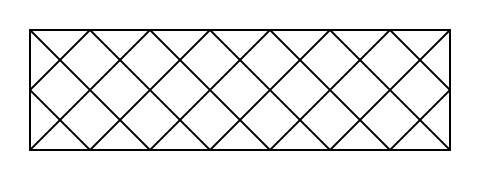
Typst supports the most common type of tilings, where a pattern is repeated in a grid-like fashion, covering the entire area of an element that is filled or stroked. The pattern is defined by a tile size and a body defining the content of each cell. You can also add horizontal or vertical spacing between the cells of the tiling and offset the starting position of the tiling.
Example
#let pat = tiling(size: (30pt, 30pt), {
place(line(start: (0%, 0%), end: (100%, 100%)))
place(line(start: (0%, 100%), end: (100%, 0%)))
})
#rect(fill: pat, width: 100%, height: 60pt, stroke: 1pt)
Tilings on text
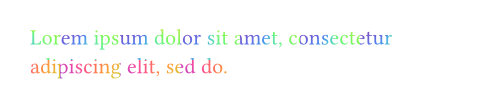
Tilings are also supported on text, but only when setting relative to either auto (the default value) or "parent". To create word-by-word or glyph-by-glyph tilings, you can wrap the words or characters of your text in boxes manually or through a show rule.
#let pat = tiling(
size: (30pt, 30pt),
relative: "parent",
square(
size: 30pt,
fill: gradient
.conic(..color.map.rainbow),
)
)
#set text(fill: pat)
#lorem(10)
Constructor
Construct a new tiling.
 View example
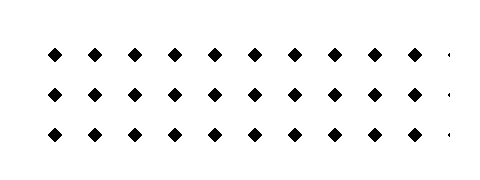
#let pat = tiling(
size: (20pt, 20pt),
relative: "parent",
place(
dx: 5pt,
dy: 5pt,
rotate(45deg, square(
size: 5pt,
fill: black,
)),
),
)
#rect(width: 100%, height: 60pt, fill: pat)
sizeDefault: auto
The bounding box of each cell of the tiling, specified as a (x, y) pair.
If set to auto, the tiling takes on the size of the laid-out content.
spacingDefault: (0pt, 0pt)
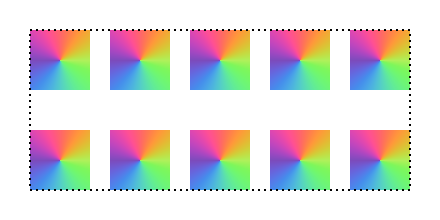
The spacing between cells of the tiling, specified as a (x, y) pair.
If the spacing is lower than the size of the tiling, the tiling will overlap with itself. If it is higher, the tiling will have gaps.
View example
#let pat = tiling(
size: (30pt, 30pt),
spacing: (10pt, 20pt),
square(size: 30pt, fill: gradient.conic(..color.map.rainbow)),
)
#rect(
width: 100%,
height: 80pt,
fill: pat,
stroke: (thickness: 1pt, dash: "dotted"),
)
offsetDefault: (0% + 0pt, 0% + 0pt)
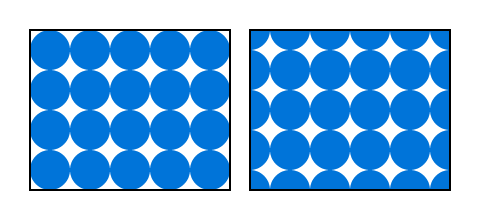
Shifts the entire tile grid without affecting the tile size or spacing.
The offset is specified as a (x, y) pair. Positive x values move the pattern to the right and positive y values move it down. Relative values are resolved against the tile size plus spacing.
Note that the displacement caused by the offset affects the tiles themselves while displacement of the inner contents (e.g. via place(dx: .., dy: ..)) can cause clipping when the content moves outside of the tile’s bounding box.
View example
#set rect(width: 100%, height: 80pt, stroke: 1pt)
#let pat = tiling(
size: (20pt, 20pt),
circle(radius: 10pt, fill: blue),
)
#let pat-with-offset = tiling(
size: (20pt, 20pt),
offset: (50%, 50%),
circle(radius: 10pt, fill: blue),
)
#grid(
columns: 2,
column-gutter: 10pt,
rect(fill: pat),
rect(fill: pat-with-offset),
)
relativeDefault: auto
Determines relative to which element’s bounding box the tiling is drawn.
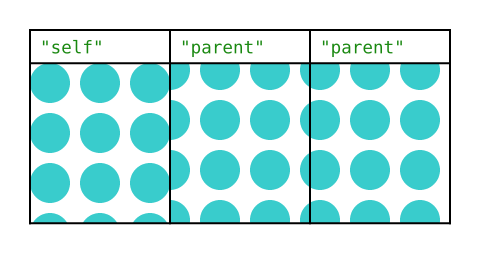
By default, tilings are drawn relative to the shape they are being painted on ("self"), unless the tiling is applied on text, in which case they are relative to the closest ancestor container ("parent").
The parent of an element is the innermost box or block that contains the element, or, if there is none, the page itself.
View example
#let pat = tiling(
size: (20pt, 20pt),
spacing: (5pt, 5pt),
relative: "self",
circle(radius: 10pt, fill: teal),
)
#let pat-with-parent = tiling(
size: (20pt, 20pt),
spacing: (5pt, 5pt),
relative: "parent",
circle(radius: 10pt, fill: teal),
)
#set raw(lang: "typc")
#table(
columns: (1fr, 1fr, 1fr),
rows: (auto, 80pt),
table.header(`"self"`, `"parent"`, `"parent"`),
// This one is local to the cell itself.
table.cell(fill: pat, none),
// These two are both page-relative, so the
// pattern is continous.
table.cell(fill: pat-with-parent, none),
table.cell(fill: pat-with-parent, none),
)
| Variant | Details |
|---|---|
"self" | Relative to itself (its own bounding box). |
"parent" | Relative to its parent (the parent’s bounding box). |
body
The content of each cell of the tiling.